Hey there! As a mainboard supplier, I've seen my fair share of faulty mainboards over the years. In this blog, I'm gonna share some tell - tale signs that your mainboard might be acting up.
1. No Power or Random Shutdowns
One of the most obvious signs is when your computer just won't power on. You press the power button, and nothing happens. It could be that the mainboard isn't getting the right signals to start up. Sometimes, it might be a problem with the power supply, but if you've checked that and it's working fine, the mainboard is likely the culprit.

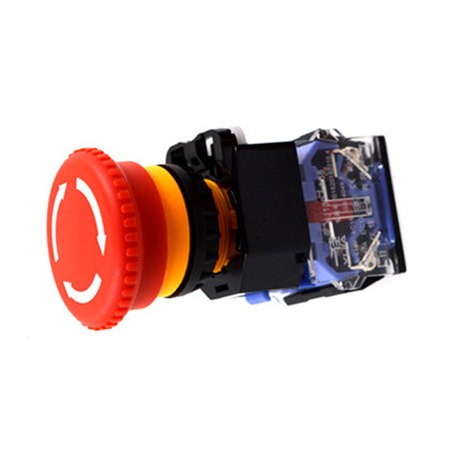
Random shutdowns are another headache. Your computer might be running smoothly one minute, and then suddenly, it shuts down without warning. This could be due to overheating, which can cause the mainboard to malfunction. Over time, the heat can damage the soldered components on the board. If you notice that your system is shutting down more often when it's under heavy load, like when you're gaming or running multiple applications, it's a red flag. You can check out the Emergency Stop page for related machine - accessory information that might be useful in such high - stress situations.
2. Blue Screen of Death (BSOD)
Ah, the dreaded Blue Screen of Death. This is a common issue that can be caused by a faulty mainboard. When you see that blue screen with all those cryptic error messages, it's your computer's way of telling you that something has gone seriously wrong. While a BSOD can also be caused by software issues like corrupted drivers or operating system problems, a faulty mainboard can also trigger it.
If you're getting frequent BSODs and you've already tried reinstalling the operating system and updating your drivers, the mainboard might be to blame. Sometimes, the error codes can give you a clue. For example, if you're getting a memory - related error code, it could be that the mainboard isn't properly communicating with the RAM modules.
3. Beep Codes
Most computers have a built - in diagnostic feature that uses beep codes to indicate problems. When you turn on your computer, you might hear a series of beeps. Each beep pattern corresponds to a different issue. For instance, a long beep followed by several short beeps could mean that there's a problem with the RAM or the video card.
If you're getting unusual beep codes that you can't find a solution for, it's likely a mainboard problem. Different motherboard manufacturers have different beep - code meanings, so you'll need to refer to your mainboard's manual to figure out what the beeps are trying to tell you.
4. Hardware Not Recognized
When your mainboard is faulty, it may not recognize the hardware components connected to it. You might plug in a new hard drive, a USB device, or a graphics card, and your computer just won't detect it. This could be because the mainboard's ports are damaged or there's an issue with the internal communication between the components.
For example, if you're trying to connect an external hard drive via USB and your computer doesn't show it in the "My Computer" or "This PC" section, it could be a mainboard problem. Sometimes, it might be a simple fix like a loose connection, but if you've checked that and the problem persists, the mainboard might need to be replaced. You can also look into Hydraulic Pump Solenoid Valve related products as they might be useful in other machinery - related setups where component recognition is crucial.
5. Visual Damage
Take a good look at your mainboard. If you see any physical damage like burnt spots, bulging capacitors, or cracked traces, that's a clear sign that the mainboard is faulty. Burnt spots usually indicate that there has been an electrical short - circuit on the board. Capacitors are small, cylindrical components on the mainboard that store and release electrical energy. When they bulge or leak, it means they've failed, and this can cause all sorts of problems with the mainboard's functionality.
Cracked traces, which are the thin copper lines on the board that carry electrical signals, can disrupt the flow of data between components. If you notice any of these visual signs, it's best to replace the mainboard as soon as possible.
6. Slow Performance
If your computer used to run fast but has suddenly become sluggish, a faulty mainboard could be the reason. The mainboard is like the central nervous system of your computer, and if it's not working properly, it can slow down the entire system.
For example, if the mainboard isn't providing enough power to the CPU or the GPU, these components won't be able to perform at their best. This can lead to slow boot times, long loading times for applications, and overall poor performance. You might also notice that your computer freezes more often or that there are lags when you're doing simple tasks like browsing the web.
7. Display Issues
Problems with the display can also be a sign of a faulty mainboard. You might notice that your screen has artifacts, which are strange patterns or colors on the screen. Or, your screen might flicker or go black randomly.
If you're using an external monitor and you're experiencing these issues, it could be that the mainboard's video output port is damaged. Even if you're using a laptop, a faulty mainboard can cause display problems. Sometimes, the problem might seem like it's with the monitor or the graphics card, but it could actually be the mainboard. You can find some related information on Sandalwood Cartridge Cigarette Holder which might be useful in different types of machine - accessory setups.
8. Unusual Fan Behavior
The fans on your computer are there to keep the components cool. If you notice that the fans are running at full speed all the time, even when your computer isn't under heavy load, it could be a sign of a mainboard problem. The mainboard is responsible for regulating the fan speeds based on the temperature of the components.
If the mainboard isn't sending the right signals to the fans, they might run at maximum speed constantly, which can be noisy and also a waste of energy. On the other hand, if the fans aren't running at all, it can lead to overheating, which as we mentioned earlier, can damage the mainboard.
Well, those are some of the most common signs of a faulty mainboard. If you're experiencing any of these issues, it's important to get your mainboard checked out. And if you're in the market for a new mainboard, I'm here as a reliable supplier. Whether you're a hobbyist building your own computer or a business looking for high - quality mainboards, I can offer you a wide range of options. Don't hesitate to get in touch for procurement and let's have a chat about your specific needs.
References
- CompTIA A+ Certification Study Guide. This guide provides in - depth knowledge about computer hardware components, including mainboards and their common issues.
- Manufacturer's Manuals. The official manuals of different mainboard manufacturers are great resources for understanding beep codes and other diagnostic information.